
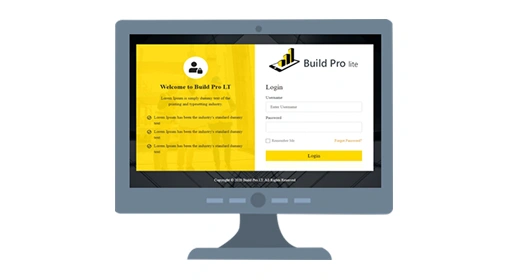
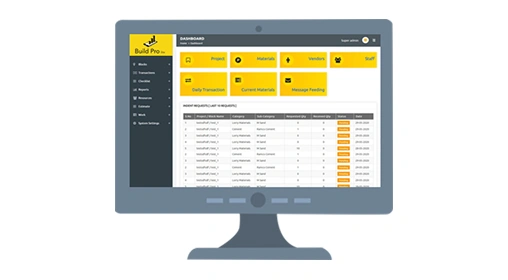
Build Pro Lite

Build Pro LT helps to automate and manage the all the construction & advanced enterprise technologies with decades of construction industry experience into one, integrated system.

Buildpro
Build Pro

Build Pro LT provides single platform to collaborate with Project management, construction materials, Project planning, Work force with easy integration in Web and mobile applications.

Build Pro LT also incorporates document, content, and construction process management capabilities to:

  • Capture all business content
  • Streamline Operations
  • Optimize Project Management
  • Automate multi-location, multi-project, and inter-project activities.
  • Integrated Management Tools
  • Curbs Operational Costs
  • Customizable to Business Needs
  • Real Time Project Tracking

Why Build Pro Lite?

  • 01. Administration
  • 02. Master Management
  • 03. Estimation
  • 04. Bill of Quantity (BoQ)
  • 05. Supply chain Management
  • 06. Quality
  • 07. Reporting
  • 08. Build Pro Mobile App
  • 09. Mobile Application – Home

Administration

Administration

Build Pro LT helps to provide a platform for the administration module which offers users the possibility to define different levels of access to information in the application, by defining specific groups of users.

  • User entry, Role configuration
  • Role wise, User wise access rights
  • Email configuration
  • User Entry, Role Configuration
  • Activate/Deactivate users
  • Functionality approval control

Master Management

Master Management

Master library Build Pro LT is to define and manage the data of an business process along with data integration in a single point of reference. Mastered data in Build Pro LT provides a common point of reference across all the modules of the application. When properly done, master data management streamlines data sharing among personnel and business process.

  • Project master
  • Consultant info
  • Vendor master
  • Staff database
  • Client info
  • Materials master
  • Contractor database
  • Work master

Estimation

Estimation

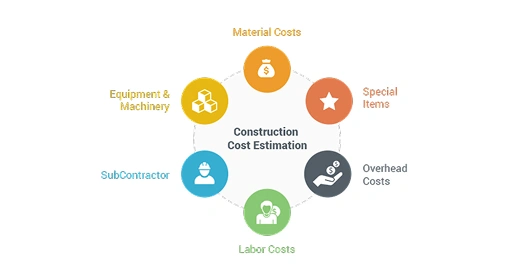
Estimation in Build Pro LT provides an effective Project estimation, which has been explicitly designed for construction industry helps to capture and monitor all items of work are estimated on the basis of the cost of materials, equipment or hiring charges, labor, services offered and overheads. Build Pro Lt is very unique & user friendly helps you get the cutting edge of accuracy in preparing estimates and managing your projects.

  • Material costing
  • Equipment costing
  • Labour costing
  • Bill of Quantity (BoQ) setup

Bill of Quantity (BoQ)

Bill of Quantity (BoQ)

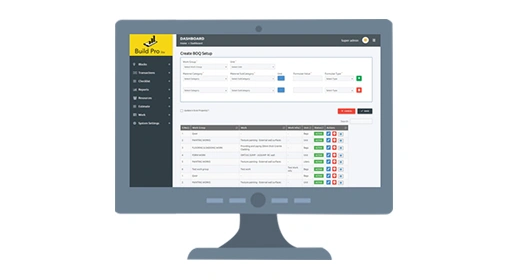
Build Pro LT powered Bill of quantities (BoQ) sets up itemizing the materials, labor, equipments(and their costs) integrated with each work of business process which required to construct, maintain or repair a structure. BoQ of Build Pro LT is user friendly and very skillful. It allows to compute the project estimate very easily. BOQ items pricing are based on cost of material, equipment, labor and overheads.

  • Material /Equipment listing
  • Work listing
  • Budget
  • Project time
  • Total quantity
  • Labour hours
  • Overhead cost

Supply chain Management

Supply chain Management

Build Pro LT eases better accountability & tracking the materials flow in every projects across the organization. Based on BoQ, our system insure that the right quality and quantity of materials/equipments are appropriately selected, purchased, delivered and handled on site in a timely manner and at a reasonable cost.

  • Purchase Indent creation
  • Material stock update
  • Shortage update
  • Purchase
  • Material transaction
  • Receiving quality

Quality

Quality

Build Pro LT span a number of quality inspection functionality across all the work particulars of the specifies projects. Each work particulars is with the quality requirements stipulated in the BoQ.

The quality plan is applicable to the materials, work units and services that have been specifically chosen.

  • PE Checklist
  • PE inspection record
  • Pre configured PE checklist with BoQ
  • Quality control

Reporting

Reporting

Build Pro LT comes with pre-configured industry standard reports to enable quick generation of critical reports without waiting upon a team to consolidate the necessary data for reports.

The analytics and reporting tools supports the business leaders and managers to review performance and other metrics related BoQ work particulars.

  • Materials & transaction report
  • Labor report
  • Purchase report
  • Material shortage/Damage report
  • Out turn report
  • PE quality report

Build Pro Mobile App

Build Pro Mobile App
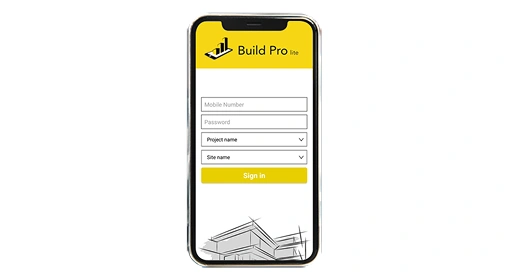
  • Mobile App available in Android and iOS.
  • Compatible with any version of Android / iOS smart phone devices.
  • Auto sync with Web application ( Pointed to dedicated server URL).
  • Easy to use application.
  • Inline with company policy and controls defined.

Mobile Application – Home

Mobile Application – Home

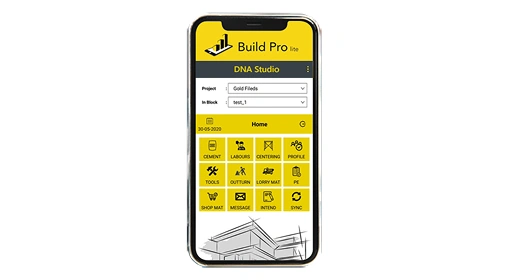
Master library Build Pro LT is to define and manage the data of an business process along with data integration in a single point of reference. Mastered data in Build Pro LT provides a common point of reference across all the modules of the application. When properly done, master data management streamlines data sharing among personnel and business process.

  • Project master
  • App will provide the real time balance data for user access with alerts.
  • Increase Visibility.
  • User shall check the activity & track the process at ease.
  • High data security and controls.
  • Send the information to web server real time / periodic.
  • More opportune user experience.

Project Organization

  • 01. SPOC (Single Point of Contact)
  • 02. Process Champions
  • 03. IT Coordinator
  • 04. Key Users
  • 05. End Users

SPOC (Single Point of Contact)

SPOC (Single Point of Contact)
  • Overall Owner for the Implementation Project (Client)
  • Coordinate All Resources for Implementation Activities
  • Updates to Client Senior Management
  • Oversee All Phases of The Project on Daily Basis
  • Weekly Meetings with AES

Process Champions

Process Champions
  • Represent a Functional Area or Department
  • One per Functional Area or Department
  • Make Decisions About To-Be Business Processes
  • Review and Approve SOW for Respective Functional Area or Department

IT Coordinator

IT Coordinator
  • Responsible for IT Environment
  • Procurement and Implementation of Required Hardware and Software

Key Users

Key Users
  • Experienced Users From Functional Area or Department
  • Communicate Existing and To-Be Business Processes to AES
  • Participate in Core User Training
  • Perform User Acceptance Testing

End Users

End Users
  • Users of the New ERP System
  • Participate in End User Training
  • Report Any Issues to Key Users and/or SPOC

Ready to Master Your
Supply Chain Operations?

Get Started with AES Logistics ERP Today

Let’s Connect